Until now, Pixellect has been about single images: layers, effects, vectors, and text, with an agent that can do the busywork for you. With 0.10, every one of those layers can also move. Open any document, press Make Video…, and a timeline appears under the canvas. Everything you already know from editing still applies: layers stay nondestructive, and every change can be undone.
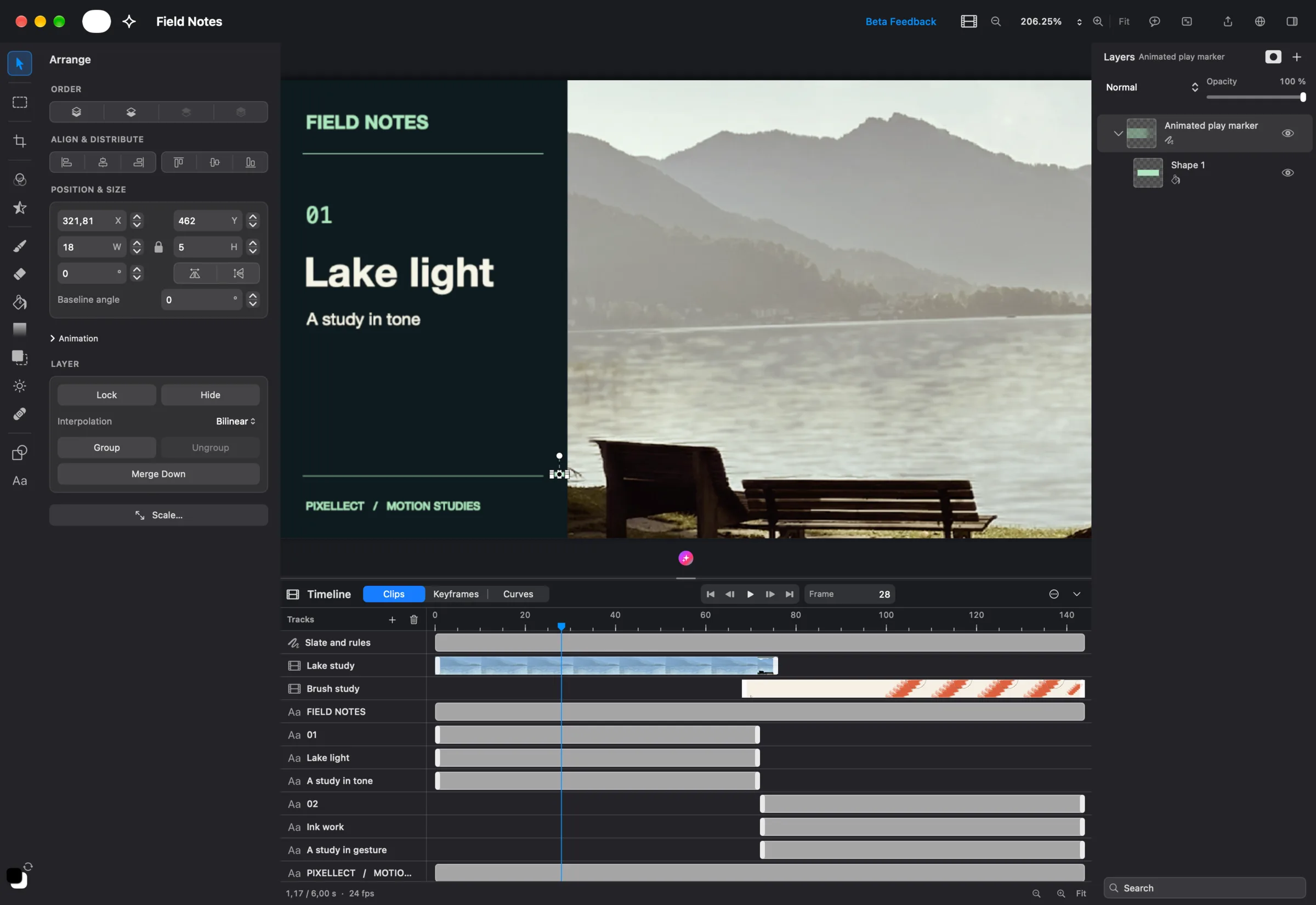
A timeline built for layered work
Each track holds a layer, a group, a video clip, or a piece of text. You can trim and move clips and see the result live on the canvas as you drag. Video clips show a filmstrip, so you can find the moment you want at a glance. Tracks can be added, deleted, and reordered. The layers sidebar follows the selected track, so new or pasted content lands where you expect.
Keyframes and curves
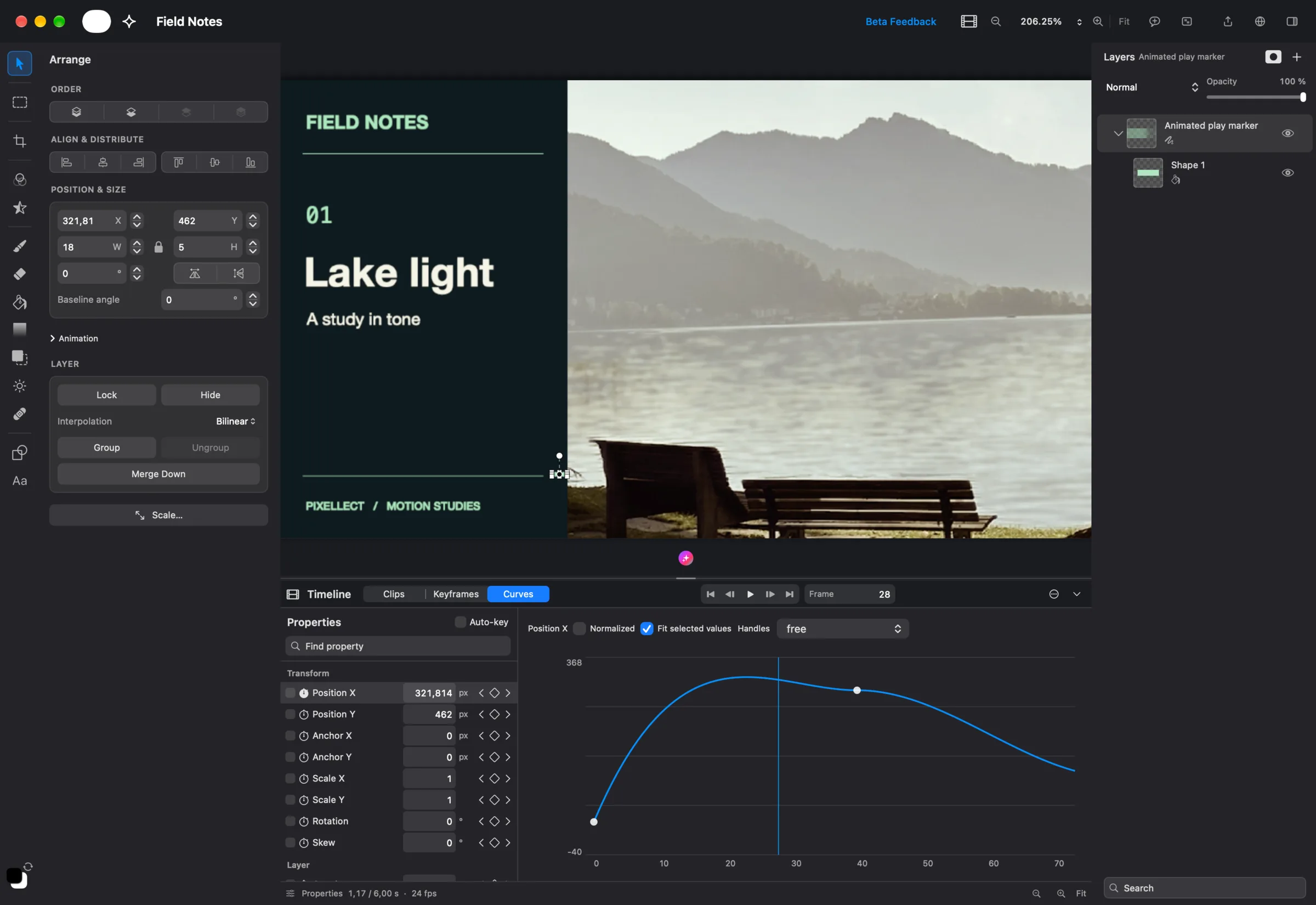
Any property in the inspector can be animated: position, scale, rotation, opacity, and more. Set a keyframe, move the playhead, change the value, and Pixellect fills in the motion in between. The Keyframes view shows every key at a glance and lets you marquee-select and retime many at once.
When timing matters, switch to Curves. You can drag Bézier handles directly on the graph, or pick ready-made easing like back, cubic, or elastic. The curve editor shows exactly how a value changes over time, so a sliding marker can overshoot and settle instead of moving at one flat speed.
Video in, video out, with sound
- Import video files. Pixellect creates proxies and thumbnails in the background, so scrubbing stays smooth even with long clips.
- Audio tracks. Add music or a voice-over, see the waveform, and trim and edit it right in the timeline.
- Export with audio. Exported colors now match what you see during playback.
The agent can also animate: ask it to fade in a title or slide a caption across the frame, and it creates the keyframes for you.
More image models, your choice of provider
Generate Image now opens a catalog of models from Replicate and Fal.ai, each with its own settings. Pixellect Cloud remains the easiest way to start. If you already have a Fal.ai or Replicate account, add your own key under Settings → Image Provider, and requests go straight to that provider.
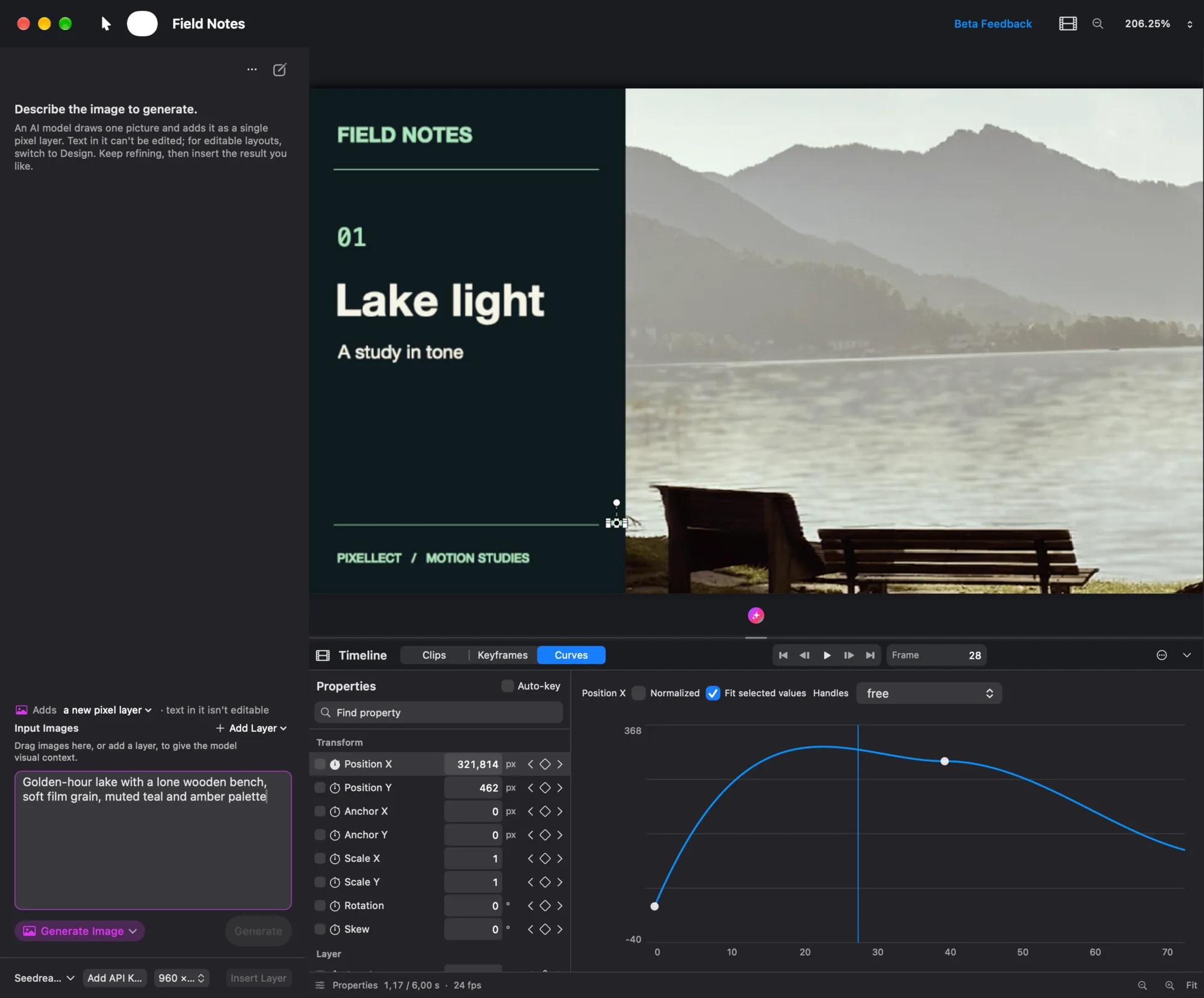
Pixellect also asks before sending your images to any third-party AI provider. If you decline, nothing is sent, and the choice sticks until you change it.
Connect your own AI tools
A new built-in MCP server (Settings → MCP) lets external AI tools that speak the Model Context Protocol work with the document you have open. It runs only on your Mac, and a password is required before any tool can connect.
And the rest
- Manage your Pixellect Cloud subscription in the browser.
- Fixed timeline navigation, last-frame playback, and keyframes after splitting clips.
- Documents no longer appear stuck while opening.
- Many smaller UI fixes.
The full list is in the changelog. Pixellect updates itself: choose Check for Updates… from the Pixellect menu, or download the latest version below.